
• Home
  • About
  • CRAIGBALL.COM
  • Disclaimer
  • Log In

Ball in your Court

~ Musings on e-discovery & forensics.

Ball in your Court

Category Archives: E-Discovery

Destined to Fail: Armstrong Pump, Inc. v. Hartman

13 Tuesday Jan 2015

Posted by craigball in Computer Forensics, E-Discovery

≈ 3 Comments

Thomas-Alva-EdisonBeing a judge looks easy, and most trial lawyers secretly believe they could do the judge’s job as well as His Honor.  But, being a good judge is harder than it looks. Trial judges must be gifted generalists.  They handle disputes in contract law, tort, patent, trademark and copyright law, eminent domain, employment law, criminal law, domestic relations, administrative law, environmental law—you name it.   Judges have to understand procedure and the process of protecting (or muddying) a record better than the average practitioner.  Judges manage bigger dockets than most lawyers with less help.  Trust me: that bozo on the bench is a lot smarter than he looks, and few imagine how much he has to endure from the advocates that come before him.  Sometimes, district court is just traffic court with better shoes.

I offer all that as preface for judging a judge who was just trying to make justice work with precious little help from the lawyers.  I speak of the judge in Armstrong Pump, Inc. v. Hartman, 2014 WL 6908867, No. 10-cv-446S (W.D.N.Y. Dec. 9, 2014).  I’ve never met U.S. Magistrate Judge Hugh B. Scott, but I know that he has twenty years of distinguished service on the federal bench in Buffalo; so, you can be confident he has a well-honed judicial demeanor and has seen it all before.  But, he may suffer from the same debilitating condition that afflicts me:  He was born at an early age and grew up before computers ruled our lives.  He likely learned discovery when everything was paper, and while he may have evolved into judex electronicus (the wired judge), few of his generation of judges have.  It’s asking a lot of judges to keep up with all they must do and become well-schooled in electronic search and retrieval.  That may explain why his order for relief in Armstrong Pump seems destined to fail.  Unhappily so, because when he cries, “Enough” in the opinion, I am with him wholeheartedly. Continue reading →

Share this:

  • Click to email a link to a friend (Opens in new window) Email
  • Click to print (Opens in new window) Print
  • Click to share on X (Opens in new window) X
  • Click to share on Facebook (Opens in new window) Facebook
  • Click to share on LinkedIn (Opens in new window) LinkedIn
Like Loading...

Cowboys and Cannibals, Revisited

12 Monday Jan 2015

Posted by craigball in E-Discovery

≈ Comments Off on Cowboys and Cannibals, Revisited

cowboys and cannibalsThis is the third in a series revisiting Ball in Your Court columns and posts from the primordial past of e-discovery–updating and critiquing in places, and hopefully restarting a few conversations.  As always, your comments are gratefully solicited.

Cowboys and Cannibals

[Originally published in Law Technology News, June 2005]

With its quick-draw replies, flame wars, porn and spam, e-mail is the Wild West boom town on the frontier of electronic discovery–all barroom brawls, shoot-outs, bawdy houses and snake oil salesman.  It’s a lawless, anyone-can-strike-it-rich sort of place, but it’s taking more-and-more digging and panning to get to the gold.

Folks, we need a new sheriff in town.

A Modest Proposal
E-mail distills most of the ills of e-discovery, among them massive unstructured volume, mixing of personal and business usage, wide-ranging attachment formats and commingled privileged and proprietary content.  E-mail epitomizes “everywhere” evidence.  It’s on the desktop hard drive, the server, backup tapes, home computer, laptop on the road, Internet service provider, cell phone and personal digital assistant.  Stampede!

There’s more to electronic data discovery than e-mail, but were we to figure out how to simply and cost-effectively round up, review and produce all that maverick e-mail, wouldn’t we lick EDD’s biggest problem?  Continue reading →

Share this:

  • Click to email a link to a friend (Opens in new window) Email
  • Click to print (Opens in new window) Print
  • Click to share on X (Opens in new window) X
  • Click to share on Facebook (Opens in new window) Facebook
  • Click to share on LinkedIn (Opens in new window) LinkedIn
Like Loading...

Unclear on the Concept, Revisited

09 Friday Jan 2015

Posted by craigball in E-Discovery

≈ 3 Comments

unclear on the conceptThis is the second in a series revisiting Ball in Your Court columns and posts from the primordial past of e-discovery–updating and critiquing in places, and hopefully restarting a few conversations.  As always, your comments are gratefully solicited.

Unclear on the Concept

 [Originally published in Law Technology News, May 2005]

A colleague buttonholed me at the American Bar Association’s recent TechShow and asked if I’d visit with a company selling concept search software to electronic discovery vendors.  Concept searching allows electronic documents to be found based on the ideas they contain instead of particular words. A concept search for “exploding gas tank” should also flag documents that address fuel-fed fires, defective filler tubes and the Ford Pinto. An effective concept search engine “learns” from the data it analyzes and applies its own language intelligence, allowing it to, e.g., recognize misspelled words and explore synonymous keywords.

I said, “Sure,” and was delivered into the hands of an earnest salesperson who explained that she was having trouble persuading courts and litigators that the company’s concept search engine worked. How could they reach them and establish credibility?  She extolled the virtues of their better mousetrap, including its ability to catch common errors, like typing “manger” when you mean “manager.”

But when we tested the product against its own 100,000 document demo dataset, it didn’t catch misspelled terms or search for synonyms. It couldn’t tell “manger” from “manager.” Phrases were hopeless. Worse, it didn’t reveal its befuddlement. The program neither solicited clarification of the query nor offered any feedback revealing that it was clueless on the concept. Continue reading →

Share this:

  • Click to email a link to a friend (Opens in new window) Email
  • Click to print (Opens in new window) Print
  • Click to share on X (Opens in new window) X
  • Click to share on Facebook (Opens in new window) Facebook
  • Click to share on LinkedIn (Opens in new window) LinkedIn
Like Loading...

Starting Over

08 Thursday Jan 2015

Posted by craigball in E-Discovery

≈ 3 Comments

DNA of DataOne of the conceits of writing is the perception that when you’ve written on something, it’s behind you.  Not that nothing else need be said on the topic, but only that it need not be said by you.  That’s silly for a host of reasons.  I started writing the print version of Ball in Your Court ten years ago–before the 2006 Federal Rules amendments and before the EDRM.  Half my readers weren’t in the field then, and veteran readers surely missed a few missives. Plus, if the point was worth making, perhaps it bears repeating. So, I now revisit columns and posts from the primordial past of e-discovery–starting over as it were, updating and critiquing in places, and hopefully restarting a few conversations. As always, your comments are gratefully solicited.

The DNA of Data

[2005: the very first Ball in Your Court]

Discovery of electronic data compilations has been part of American litigation for two generations, during which time we’ve seen nearly all forms of information migrate to the digital realm.  Statisticians posit that only five to seven percent of all information is “born” outside of a computer, and very little of the digitized information ever finds its way to paper.  Yet, despite the central role of electronic information in our lives, electronic data discovery (EDD) efforts are either overlooked altogether or pursued in such epic proportions that discovery dethrones the merits as the focal point of the case.  At each extreme, lawyers must bear some responsibility for the failure.  Few of us have devoted sufficient effort to learning the technology, instead deluding ourselves that we can serve our clients by continuing to focus on the smallest, stalest fraction of the evidence: paper documents.  When we do garner a little knowledge, we abuse it like the Sorcerer’s Apprentice, by demanding production of “any and all” electronic data and insisting on preservation efforts sustainable only through operational paralysis.  We didn’t know how good we had it when discovery meant only paper. Continue reading →

Share this:

  • Click to email a link to a friend (Opens in new window) Email
  • Click to print (Opens in new window) Print
  • Click to share on X (Opens in new window) X
  • Click to share on Facebook (Opens in new window) Facebook
  • Click to share on LinkedIn (Opens in new window) LinkedIn
Like Loading...

Houston: Free Screening of the Decade of Discovery; 12/2/2014

27 Thursday Nov 2014

Posted by craigball in E-Discovery

≈ 4 Comments

no judgesOn Monday, I screened Joe Looby’s film, The Decade of Discovery, for my University of Texas Law School e-discovery class.  It was a last-minute change prompted by our scheduled speaker falling ill; but, it proved a most effective way to coalesce the information covered in class.  It was also fun to know all of the “actors” and to have lately been with most of them in New Orleans for The Sedona Conference All Voices meeting and in D.C. for the Georgetown Advanced E-Discovery Institute and John Facciola Appreciation Dinner.  It was all I could do to not shout, “Hey, I know her, and him, and that guy, too!”

Afterward, we debated whether it would be better for e-discovery students to see the film at the start of a semester or at the close.  The consensus was that it might have scared students away if they’d seen it too soon.  I think it would be worthwhile to screen it at both the start and end of the semester, if only to make students appreciate how conversant they’ve become in the esoteric subject matter in three months.  Either way, it’s an entertaining hour for bored, stressed  law students.

Likewise, it’s will be a entertaining and FREE evening for anyone who can be in Houston on Tuesday, December 2, 2014 and wishes to attend the complimentary screening of The Decade of Discovery at the Majestic Metro Theatre (911 Preston Street in downtown Houston).  Sponsored by Bloomberg BNA, the evening starts with a networking reception from 6:30-7:30 pm followed by opening remarks from the director at 7:30pm. The screening runs from 7:45-8:45 pm and concludes with a spirited panel discussion.  I am one of the panelists, along with Jason Baron (a/k/a The Sultan of Search), who stars in the film.

To recap, it’s fun, it’s free and the festivities start at 6:30 pm on Tuesday, December 2, 2014 at the Majestic Metro Theatre.  Click here to register to attend.

Because most of you will already be dressed like the actors, feel free to treat this like a midnight screening of Rocky Horror Picture Show and say (or sing) along.  And if you fear it might not be exciting to hear people talk about the tribulations of keyword search for an hour, I assure you that (spoiler alert) there are at least two dramatic car crashes depicted in the film, and there are no purely gratuitous sex scenes.

Share this:

  • Click to email a link to a friend (Opens in new window) Email
  • Click to print (Opens in new window) Print
  • Click to share on X (Opens in new window) X
  • Click to share on Facebook (Opens in new window) Facebook
  • Click to share on LinkedIn (Opens in new window) LinkedIn
Like Loading...

Location. Location. Location.

26 Wednesday Nov 2014

Posted by craigball in Computer Forensics, E-Discovery, General Technology Posts

≈ 3 Comments

Gladys_KravitzI’m peripatetic.  My stuff lives in Austin; but, I’m in a different city every few days.  Lately looking for a new place for my stuff to await my return, I’m reminded of the first three rules of real estate investing: 1. Location; 2. Location and 3. Location.

Location has long been crucial in trial, too: “So, you claim you were at home alone on the night of November 25, 2014 when this heinous crime was committed!  Is that what you expect this jury to believe?”  If you can pinpoint people’s locations at particular times, you can solve crimes.  If you have precise geolocation data, you can calculate speed, turn up trysts, prove impairment, demonstrate collusion and even show who had the green light. Location and time are powerful tools to implicate and exonerate.

A judge called today to inquire about ways in which cell phones track and store geolocation data.  He wanted to know what information is recoverable from a seized phone.  I answered that, depending upon the model and its usage, a great deal of geolocation data may emerge, most of it not tied to making phone calls.  Tons of geolocation data persist both within and without phones.

Cell phones have always been trackable by virtue of their essential communication with cell tower sites.  Moreover, and by law, any phone sold in the U.S. must be capable of precise GPS-style geolocation in order to support 9-1-1 emergency response services. Your phone broadcasts its location all the time with a precision better than ten meters. Phones are also pinging for Internet service by polling nearby routers for open IP connections and identifying themselves and the routers.  You can forget about turning off all this profligate pinging and polling.  Anytime your phone is capable of communicating by voice, text or data, you are generating and collecting geolocation data.  Anytime. Every time.  And when you interrupt that capability, that also leaves a telling record.

Continue reading →

Share this:

  • Click to email a link to a friend (Opens in new window) Email
  • Click to print (Opens in new window) Print
  • Click to share on X (Opens in new window) X
  • Click to share on Facebook (Opens in new window) Facebook
  • Click to share on LinkedIn (Opens in new window) LinkedIn
Like Loading...

Rule 34: Grewal Ventures an Opinion

21 Tuesday Oct 2014

Posted by craigball in E-Discovery

≈ 1 Comment

Judge-GrewalU.S. Magistrate Judge Paul S. Grewal (pronounced “grey-wahl”) cuts an impressive figure in the e-discovery community.  In less than four years on the bench, Judge Grewal has written several opinions addressing instances of discovery incompetence and misconduct in epic battles between the tech titans tramping through his court in San Jose, California.  His latest is an order on a Motion to Compel and for Sanctions in a patent dispute, Venture Corp., LTD v. James P. Barrett.  It’s a fight between a multi-billion dollar Singapore tech concern and an inventor.  In praising Judge Grewal, I feel obliged to point out that he enjoyed an unfair advantage over the litigants in that His Honor read the Federal Rules of Civil Procedure, particularly Rule 34, which Judge Grewal termed “about as basic to any civil case as it gets.”  No fair reading the rules, Judge! Continue reading →

Share this:

  • Click to email a link to a friend (Opens in new window) Email
  • Click to print (Opens in new window) Print
  • Click to share on X (Opens in new window) X
  • Click to share on Facebook (Opens in new window) Facebook
  • Click to share on LinkedIn (Opens in new window) LinkedIn
Like Loading...

Does Evidence Derive from Discovery?

16 Thursday Oct 2014

Posted by craigball in E-Discovery, Uncategorized

≈ 14 Comments

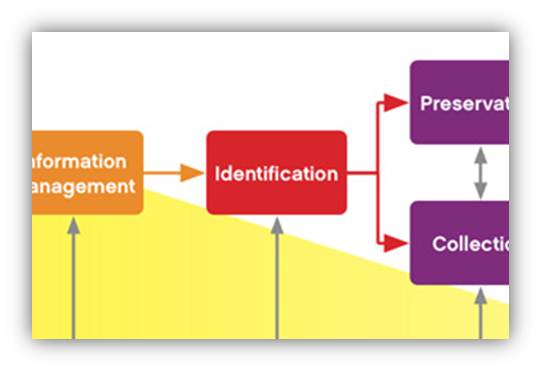
edrm-IDIs anyone else troubled that the most oft-cited research into e-discovery–the Blair & Marron study of keyword search–dates from 1985? Recent “studies” are often seat-of-the-pants opinion polls of the sort that ask in house counsel to guess how well prepared their companies are to deal with e-discovery or what they think discovery costs. These are interesting; but, they’re no more reliable than polls asking people to rate themselves as “fair minded” or “intelligent.” Polls measure people’s expectations about what facts might be, not facts. The long-held consensus that the sun circled a flat Earth didn’t make it so.

We need objective metrics in e-discovery, and one thing I’d like to see measured is the origin of the information obtained in discovery that’s actually used to prosecute or defend cases. My experience is that cases are won or lost using a handful of items versus the number exchanged in discovery. Do the exhibits used in motions, depositions and trials derive from e-discovery or do they emerge by other means? Continue reading →

Share this:

  • Click to email a link to a friend (Opens in new window) Email
  • Click to print (Opens in new window) Print
  • Click to share on X (Opens in new window) X
  • Click to share on Facebook (Opens in new window) Facebook
  • Click to share on LinkedIn (Opens in new window) LinkedIn
Like Loading...

Preserving Gmail for Dummies

15 Wednesday Oct 2014

Posted by craigball in Computer Forensics, E-Discovery

≈ 12 Comments

gmail_GoogleI posted here a year ago laying out a detailed methodology for collection and preservation of the contents of a Gmail account in the static form of a standard Outlook PST.  Try as I might to make it foolproof, downloading Gmail using IMAP and Outlook is tricky.  Happily since my post, the geniuses at Google introduced a truly simple, no-cost way to collect Gmail and other Google content for preservation and portability.  It sets a top flight example for online service providers, and presages how we may use the speed, power and flexibility of Google search as a culling mechanism before exporting for e-discovery. Continue reading →

Share this:

  • Click to email a link to a friend (Opens in new window) Email
  • Click to print (Opens in new window) Print
  • Click to share on X (Opens in new window) X
  • Click to share on Facebook (Opens in new window) Facebook
  • Click to share on LinkedIn (Opens in new window) LinkedIn
Like Loading...

Sedona Principle Six: Overdue for an Overhaul

10 Friday Oct 2014

Posted by craigball in E-Discovery

≈ 9 Comments

moleThe Sedona Conference “Best Practices Recommendations & Principles for Addressing Electronic Document Production (2d Edition 2007)” still impresses me as a thoughtful and balanced articulation of how electronic discovery should proceed.  Yet, each time I read them, Principle Six stands out like a witch’s hairy mole on a pretty face.

Sedona Principle 6 is overdue for an overhaul:  It’s out of synch with reality, and always has been.

The current Principle Six states, “Responding parties are best situated to evaluate the procedures, methodologies, and technologies appropriate for preserving and producing their own electronically stored information.”

Sometimes responding parties are best situated.  But, sometimes they are foxes guarding henhouses, and sometimes possess so little competence that their folly serves as fodder for sanctions.

The presumption of superior competence is belied by the reality of widespread confusion and incompetence.  Yes, an organization may better know its own data for it’s in a superior position to know; but, it’s foolish to assume they possess a superior ken of their data with respect to its identification, preservation and transit into and through e-discovery.  That’s a specialty. Continue reading →

Share this:

  • Click to email a link to a friend (Opens in new window) Email
  • Click to print (Opens in new window) Print
  • Click to share on X (Opens in new window) X
  • Click to share on Facebook (Opens in new window) Facebook
  • Click to share on LinkedIn (Opens in new window) LinkedIn
Like Loading...
← Older posts
Newer posts →
Follow Ball in your Court on WordPress.com

Enter your email address to subscribe to this blog and receive notifications of new posts by email.

Join 2,227 other subscribers

Recent Posts

  • 2026 Guide to AI and LLMs in Trial Practice January 9, 2026
  • A Master Table of Truth November 4, 2025
  • Kaylee Walstad, 1962-2025 August 19, 2025
  • Native or Not? Rethinking Public E-Mail Corpora for E-Discovery (Redux, 2013→2025) August 16, 2025
  • Still on Dial-Up: Why It’s Time to Retire the Enron Email Corpus August 15, 2025

Archives

RSS Feed RSS - Posts

CRAIGBALL.COM

Helping lawyers master technology

Categories

EDD Blogroll

  • CS DISCO Blog
  • eDiscovery Journal (Greg Buckles)
  • Minerva 26 (Kelly Twigger)
  • eDiscovery Today (Doug Austin)
  • Basics of E-Discovery (Exterro)
  • E-Discovery Law Alert (Gibbons)
  • E-D Team (Ralph Losey)
  • Complex Discovery (Rob Robinson)
  • Sedona Conference
  • Corporate E-Discovery Blog (Zapproved )
  • Illuminating eDiscovery (Lighthouse)
  • The Relativity Blog
  • GLTC (Tom O'Connor)

Admin

  • Create account
  • Log in
  • Entries feed
  • Comments feed
  • WordPress.com

Enter your email address to follow Ball in Your Court and receive notifications of new posts by email.

Website Powered by WordPress.com.

  • Subscribe Subscribed
    • Ball in your Court
    • Join 2,079 other subscribers
    • Already have a WordPress.com account? Log in now.
    • Ball in your Court
    • Subscribe Subscribed
    • Sign up
    • Log in
    • Report this content
    • View site in Reader
    • Manage subscriptions
    • Collapse this bar
 

Loading Comments...
 

    %d