
 The Texan in me can’t hear the phrase “on the road again” without also hearing Willie Nelson’s nasal voice singing it. But, the life I love IS making music with my friends, if by “music” we mean bringing “aha” moments to lawyers and others interested in e-discovery and forensic technology.
Today, I head to Portland, for the 2018 Preservation Excellence or PREX Conference put on annually by the good folks at Zapproved. It’s a splendid faculty congregated in an always-lovely venue and punctuated by good conversation, fine food and the splendor that is Oregon in September. PREX is always worth the trip; so, if you have the chance to go, by all means, attend.
This year I have a lot to do at PREX. I have the privilege to host a keynote discussion with CNN and The New Yorker magazine legal commentator, Jeffrey Toobin. You can be sure that the U.S. Supreme Court, the Mueller investigation and Brett Kavanaugh’s confirmation hearing will all come up. Toobin is a bestselling author of seven books, including several on the Supreme Court and on the O.J. Simpson murder case and kidnapped heiress Patty Hearst. Talking with Toobin rounds out my opportunity to do Charlie Rose-style conversations with Doris Kearns Goodwin and Nina Totenberg at earlier Zapproved events.
I’ll also moderate a “People’s Court” debate between Brett Tarr and Dan Nichols. Brett is Chief Counsel for E-Discovery and Information Governance at gaming conglomerate Caesars Entertainment, and Dan is a partner with Redgrave LLP, the far-flung corporate e-discovery consultancy. These two really despise each other, so there’s sure to be a lot of eye-gouging and attacks on legitimate parentage. (That’s my story, and I’m sticking to it).
Finally on Wednesday, I’ll be doing a little speaking of my own in a lonely breakout session where we will talk about preserving and discovering evidence on mobile phones. They’ve titled it, OMG, SMS & ESI: Preserving & Collecting from Mobile Devices. The session description reads:
How does one craft a discovery request for text messages? What are the different techniques for preservation, collection and review of mobile data? When does it make sense to complete a full forensic collection on a mobile device? This session will deliver foundational information and practical examples of process and policy management for mobile devices in ediscovery.
if you haven’t yet come to grips with mainstreaming mobile devices into day-to-day e-discovery, know you’re not alone–everyone is struggling, or more likely closing their eyes, hoping mobile will go away. Perhaps we can make some progress together.
PREX September 25 – 27, 2018 | Portland, OR
Then, no-rest-for-the-dreary, I wing to the Windy City of Chicago (so-called NOT due to weather, but for the propensity of its politicians to pontificate at length). I’m heading to the annual Relativity Fest, a stupendous amalgamation of e-discovery education and evangelical tent meeting cum rock concert. If there were the slightest doubt that Relativity dominates the e-discovery review space (and is hungry to gobble up the rest of the EDRM), such foolish doubt will be crushed by the power of Fest.
I enjoy Fest for many reasons, not the least of which is the chance to work with the always-engaging David Horrigan, Relativity’s discovery counsel and legal content director. David is a fine writer, insightful commentator and skilled teacher. Eclipsing that is his distinction as a great guy, someone always fun to be around and adept at eliciting the best from those he hosts.
At Fest, David will moderate a panel I’m on called The Internet of Things from a Legal, Regulatory, and Technical Perspective. I’m fortunate to join Gail Gottehrer, Partner and Co-Chair of the Privacy, Cybersecurity, and Emerging Technology Practice at Akerman, who will give the regulatory perspective, and Ed McAndrew, Partner at Ballard Spahr and former DOJ cybercrime coordinator, who’s charged with the legal point of view. I guess that leaves the technical stuff to me, which is where I’m happiest anyway.
Relativity Fest Sep. 30 – Oct. 3, 2018 | Hilton Chicago
I hope to see you at one or both of these exciting confabs, enjoying two fine faculties in wonderful venues. The joy and value of these events isn’t just what’s planned, but the interactions around and outside of the sessions, too.
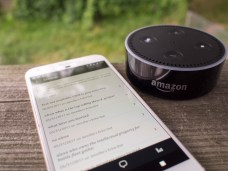 Two years ago, I
 Houston is my hometown. I wasn’t born there (though both my children were); but, I got there as quickly as I could, at age 17 to study at Rice University. I practiced law in Houston and kept a home in the Houston area for 38 years, longer by far than anywhere else. I have deep Texas roots, proud Houston roots. So, it pains me to see what’s happening in Harris County, and as a past President of the Houston Trial Lawyers Asociation, I’m thinking of all my colleagues whose offices are submerged or inaccessible and whose practices will be devastated and disrupted by Hurricane Harvey.
 This article makes the case for routine, scalable preservation of potentially-relevant iPhone and iPad data by requiring custodians back up their devices using iTunes (a free Apple program that runs on PCs and Macs), then compress the backup for in situ preservation or collection.
 Cybersecurity and personal privacy are real and compelling concerns. Whether we know it or not, virtually everyone has been victimized by data breach. Lawyers are tempting targets to hackers because, lawyers and law firms hold petabytes of sensitive and confidential data. Lawyers bear this heady responsibility despite being far behind the curve of information technology and arrogant in dismissing their need to be more technically astute. Cloaked in privilege and the arcana of law, litigators have proven obstinate when it comes to adapting discovery practice to changing times and threats, rendering them easy prey for hackers and data thieves.
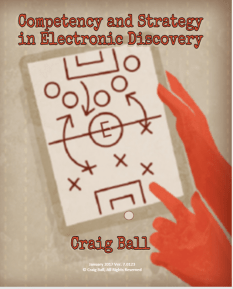 Two characteristics that distinguish successful trial lawyers are preparation and strategy.
 “Will the person who left their cell phone at the security checkpoint please retrieve it?” People constantly leave their phones behind at security checkpoints, washrooms, checkout counters and charge stations. Too, the little buggers slip out of pockets and purses. More than three million phones are lost in the U.S. every year, and less than one-in-ten lost phones finds its way home. Saturday night, I found an iPhone on the floor at a big party in the Faubourg Marigny in New Orleans. I located the owner by asking everyone in sight if they’d lost a phone, and when I found her, the owner didn’t know she’d dropped it.


 In my law practice, I use PowerPoint more frequently than Word. Word processing tools are for preparing documents for people to read and understand; I use presentation tools like PowerPoint when I want people to see and understand. PowerPoint isn’t a word processor; it’s a visual presentation tool. You can fill slides with text as you might a word-processed document, but when you do that, you’re killing the power of PowerPoint.
 Ball in your Court